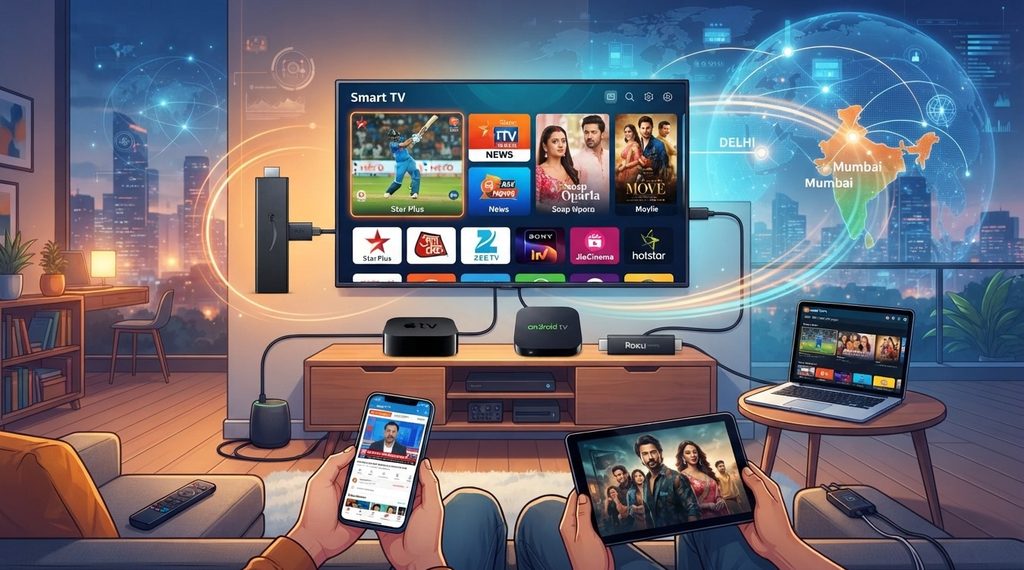



One of the biggest advantages of IPTV over traditional cable or satellite TV is flexibility, and that starts with the sheer number of devices you can use to watch it. Whether you already own a Smart TV, a Firestick, or just a smartphone, chances are you already have something capable of streaming Indian channels right now. This guide walks through every major device option so you can figure out the best fit for your home before subscribing to Indian IPTV USA.
Table of Contents
- Why Device Compatibility Matters for IPTV
- Smart TVs
- Streaming Sticks and Boxes
- Dedicated Indian IPTV Boxes
- Smartphones and Tablets
- Computers and Laptops
- Gaming Consoles
- Full Device Compatibility Chart
- How to Choose the Right Device for Your Household
- Frequently Asked Questions
Why Device Compatibility Matters for IPTV
Since IPTV runs entirely over your internet connection rather than through cable or satellite hardware, it can technically work on almost any device with internet access and enough processing power to run a streaming app. But not every device offers the same level of app support, performance, or ease of setup. Knowing your options ahead of time helps you avoid a frustrating setup process and pick hardware that fits how your household actually watches TV.
Smart TVs
Most modern Smart TVs can run IPTV apps directly, no extra hardware required. Support varies by platform:
- Android TV / Google TV: Excellent compatibility, with direct access to apps like IPTV Smarters Pro and TiviMate from the built-in app store
- Samsung Tizen OS: Limited native app support, though workarounds exist
- LG webOS: Similar limitations to Samsung, with fewer dedicated IPTV apps available
- Roku TV: Restrictive app store policies make direct IPTV app installation difficult
If your TV runs Android TV or Google TV, you’re in the best position to stream Indian IPTV without buying anything else.
Streaming Sticks and Boxes
For TVs that don’t support IPTV apps well, an affordable streaming stick can bridge the gap easily:
- Amazon Firestick / Fire TV: Widely popular and supports sideloading IPTV apps with minimal effort
- Chromecast with Google TV: Offers solid app support through the Google Play Store
- NVIDIA Shield: A more powerful option offering excellent performance for 4K IPTV streaming
These devices plug directly into your TV’s HDMI port and instantly add full IPTV app support, regardless of your TV’s built-in operating system.
Dedicated Indian IPTV Boxes
A purpose-built Indian IPTV Box is designed specifically for streaming live TV smoothly, often pre-loaded with the necessary apps and optimized hardware for handling HD and 4K content without lag. Popular formats include:
- MAG boxes, commonly used across many IPTV services worldwide
- Android-based set-top boxes, offering flexibility to install multiple apps
- Pre-configured IPTV boxes, which come ready to use out of the box with minimal setup
These boxes are ideal for households that want a dedicated, TV-only device that isn’t shared with other streaming or gaming purposes, ensuring consistent performance every time.
Smartphones and Tablets
IPTV isn’t limited to your living room. Both Android and iOS devices support IPTV apps, letting you watch live channels from anywhere with an internet connection. This is especially useful for:
- Catching a match or show while traveling
- Watching in a different room without a second TV setup
- Quickly checking channel availability before committing to a full subscription plan
Apps like IPTV Smarters and GSE Smart IPTV are available on both the Google Play Store and Apple App Store.
Computers and Laptops
If you prefer watching on a bigger screen without a TV nearby, IPTV can also be accessed through a web browser or a dedicated desktop app on Windows and Mac computers. This is a convenient backup option, particularly for people who want to keep an eye on live cricket or news during work breaks.
Gaming Consoles
Some gaming consoles, including certain models of Xbox and PlayStation, support browser-based or app-based IPTV access, though this is generally less common and less optimized compared to dedicated streaming devices. It can work as an occasional option but isn’t usually recommended as your primary setup.
Full Device Compatibility Chart
| Device Type | IPTV App Support | Best For |
|---|---|---|
| Android TV / Google TV | Excellent | Primary living room setup |
| Samsung/LG Smart TV | Limited | Backup or secondary use |
| Firestick / Fire TV | Excellent | Affordable, flexible setup |
| Indian IPTV Box | Excellent | Dedicated, stable TV streaming |
| Smartphones/Tablets | Excellent | On-the-go or secondary viewing |
| Laptops/PCs | Good | Desk or travel viewing |
| Gaming Consoles | Limited | Occasional secondary use |
How to Choose the Right Device for Your Household
- If you already own an Android TV or Google TV, you likely don’t need to buy anything extra
- If your Smart TV has limited app support, a Firestick or Chromecast is an affordable fix
- If you want the most stable, dedicated streaming experience, a purpose-built Indian IPTV Box is worth the investment
- If you travel often or watch on the go, make sure your subscription supports multi-device logins for your phone or tablet
- If your household has multiple viewers, consider a mix of a dedicated box for the main TV and app-based access for secondary screens
Frequently Asked Questions
Can I use IPTV on any Smart TV? Most Smart TVs can run IPTV apps, though Android TV and Google TV models offer the best native support. Samsung, LG, and Roku TVs may need a streaming stick to work smoothly.
Do I need to buy a special box to watch Indian IPTV? Not necessarily. Many people watch successfully using just a Smart TV or an affordable streaming stick, though a dedicated Indian IPTV Box offers a more stable, purpose-built experience.
Can I watch IPTV on my phone and TV at the same time? This depends on your subscription plan’s device limits. Many providers allow multiple simultaneous connections, so check your plan details before assuming this is included.
Is a Firestick good enough for Indian IPTV in HD or 4K? Yes, Firesticks handle HD content well, and newer models can manage 4K streaming, though a dedicated box may offer more consistent performance for heavy daily use.
What’s the easiest device for someone who isn’t tech-savvy? A pre-configured Indian IPTV Box is generally the simplest option, since it often comes ready to use with minimal setup required.
Find the Right Setup for You
Whatever device you already own, Indian IPTV USA makes it easy to get started with hundreds of live Hindi, Punjabi, Tamil, and Telugu channels streamed straight to your screen. If you want the most stable, dedicated viewing experience, pair your subscription with a reliable Indian IPTV Box.