


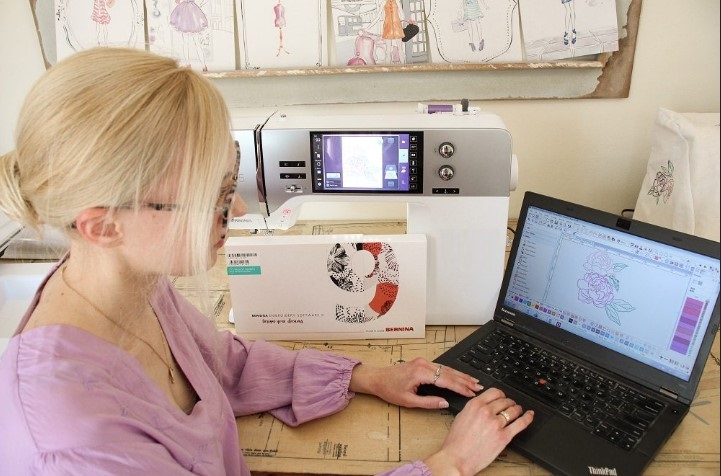

Every great design starts with a simple idea. It can be a quick sketch, a logo thought, or even a photo. But not all ideas turn into clean graphics right away. Many designs look rough, hard to edit, or not ready for print.
That is why learning How to Create Vector Art is so helpful. It helps you turn your ideas into smooth and clean graphics that you can edit anytime. This makes your design work better for print, web, and branding.
Why Clean and Editable Graphics Matter
Clean graphics are easy to use. They look sharp and neat. Editable graphics save time.
Benefits of Clean Graphics
- Easy to resize
- No blur or rough edges
- Better print quality
- Easy color changes
Why Editable Files Are Important
- You can fix mistakes fast
- You can reuse designs
- You can update logos anytime
When your design is clean, your work looks more professional.
What Makes a Graphic “Clean”
A clean graphic has smooth lines and simple shapes.
Key Features of Clean Design
- Sharp edges
- Balanced layout
- Clear colors
- No extra noise
A messy design confuses the viewer. A clean design sends a clear message.
Start with a Simple Idea
Every design begins with a base idea.
Keep Your Idea Clear
- Focus on one main concept
- Avoid too many elements
- Think about final use
Simple ideas are easier to turn into great graphics.
Use the Right Tools
Tools help you shape your idea.
Popular Design Tools
- Adobe Illustrator
- CorelDRAW
- Inkscape
These tools help you create and edit clean graphics.
Sketch Before You Design
Do not jump straight to software.
Why Sketching Helps
- Builds your idea
- Saves time later
- Helps plan layout
Use paper or a tablet. Keep it simple.
Turn Sketch into Digital Design
Now move your sketch into software.
Steps to Follow
Import Your Sketch
Upload your image.
Trace the Design
Create smooth lines over your sketch.
Clean the Paths
Fix curves and corners.
This step builds the base of your graphic.
Keep Lines Smooth and Clear
Lines are the heart of your design.
Tips for Better Lines
- Avoid shaky edges
- Use fewer anchor points
- Keep curves smooth
Clean lines make your design look sharp.
Use Simple Shapes
Shapes build your design.
Why Shapes Matter
- Easy to edit
- Easy to scale
- Look neat
Common Shapes
- Circles
- Squares
- Lines
Use shapes to create structure.
Choose Colors Wisely
Colors affect how your design looks.
Tips for Color Use
- Use 2 to 5 colors
- Keep contrast strong
- Avoid too many shades
Simple color use makes your design clean.
Organize Your Layers
Layers keep your file neat.
Why Layers Help
- Easy to edit parts
- Clear structure
- Saves time
Good Practice
- Name each layer
- Group similar items
- Lock finished parts
This keeps your work organized.
Save in the Right Format
File format is very important.
Best Formats
- SVG for web
- AI for editing
- EPS for print
Choose the right format for your need.
Check Your Design at Different Sizes
Your design should work at any size.
What to Test
- Small size for icons
- Large size for banners
A clean graphic stays sharp at all sizes.
Fix Errors Early
Do not wait till the end.
Common Errors
- Rough edges
- Wrong colors
- Misaligned shapes
Fix them early to save time.
Learn from Real Experience
From daily work, I have seen many designs fail due to small issues.
Common Problems
- Too many details
- Poor tracing
- Bad color choice
These problems reduce quality. With practice, you can avoid them.
Use Shortcuts to Work Faster
Speed matters in design work.
Helpful Tips
- Learn keyboard shortcuts
- Use templates
- Save presets
These steps save time and effort.
When to Get Expert Help
Sometimes, a design needs expert care.
When You Need Help
- Complex logos
- Tight deadlines
- High-quality needs
Digitizing Buddy has strong experience in turning ideas into clean and editable graphics. Their team handles complex designs with ease.
How Digitizing Buddy Supports Designers
Working with experts makes your job easy.
What They Offer
- Clean and smooth designs
- Fast turnaround
- Quality checks
Digitizing Buddy focuses on detail. This helps you get better results every time.
Build Trust with Clean Design
Clean design builds trust.
Why It Matters
- Clients notice quality
- Clean work looks professional
- Better results bring repeat work
Always aim for quality over speed.
Real-Life Uses of Clean Graphics
You can use clean graphics in many ways.
Common Uses
- Logos
- Social media posts
- T-shirt designs
- Business cards
Clean graphics work everywhere.
Tips for Beginners
If you are new, start small.
Easy Tips to Follow
Practice Daily
Even small steps help.
Keep It Simple
Do not overdesign.
Learn Basics First
Strong basics give better results.
Tools That Make Your Work Easy
You do not need many tools.
Basic Setup
- One design software
- A clear idea
- Practice
Start simple and grow step by step.
Final Thoughts
Turning your creative ideas into clean and editable graphics is a skill. It takes time, but it is easy to learn with the right steps.
Start with a clear idea.
Use the right tools.
Keep your design simple.
Check your work at every step.
With practice, your designs will improve.
And if you need expert support, Digitizing Buddy can guide you with real experience and proven results.
Keep creating. Keep learning. Your next design can be your best one.